
Horvan Chat — student–teacher chat the office can see
Horvan Chat is the student–teacher chat of Horvan Edu Coaching, the coaching centre app from Horvan Edu (a Horvans™ company). Every chat is saved and visible to the office.
What it does
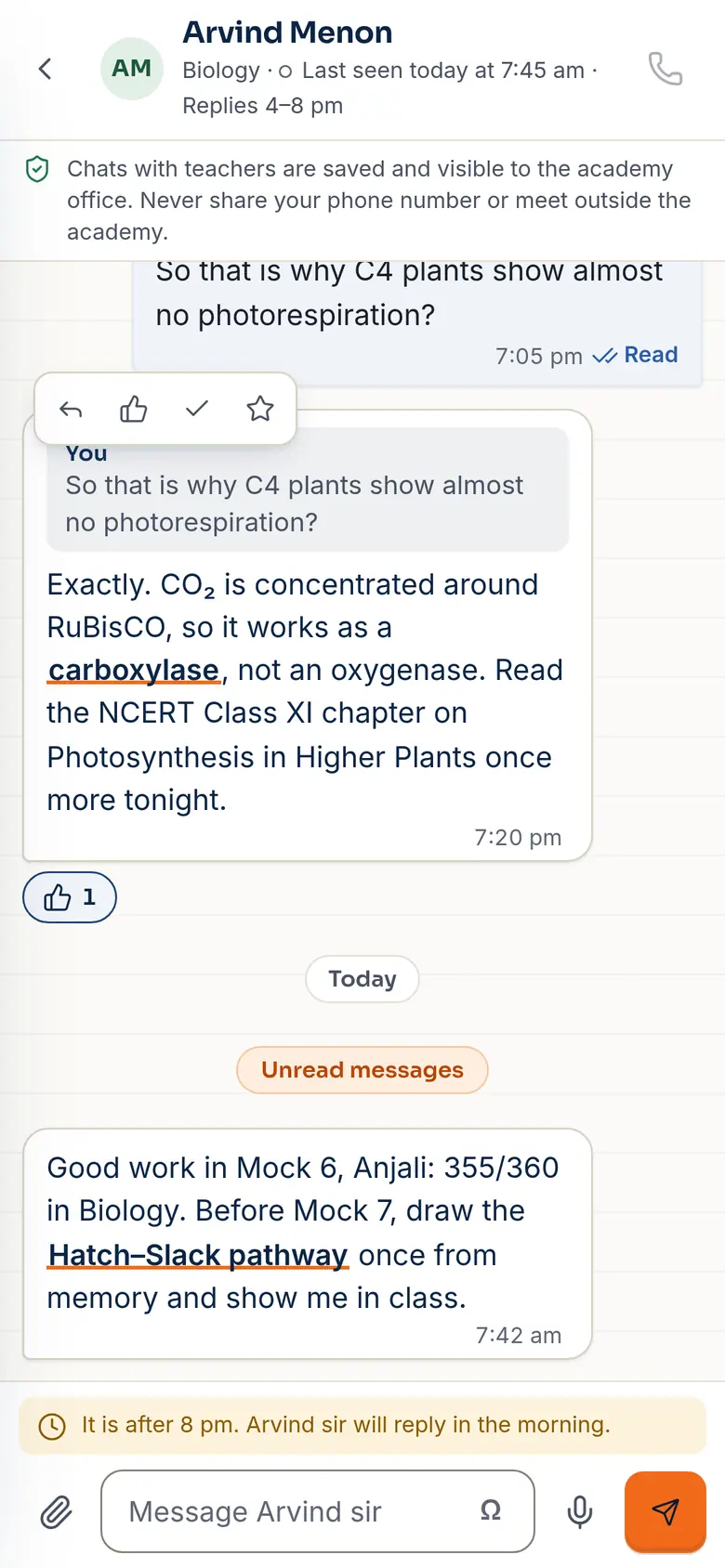
- One-to-one threads between a student and a teacher
- Photos, voice notes, formulas, replies and reactions
- Delivered and read ticks, typing and presence
- Quiet hours: late messages wait for the morning
- A safeguarding note on every thread: saved and visible to the office
Who it's for
Students, teachers and the office that looks after them.
How another app uses it
Not a separate embed yet. In the app a chat page is one element and one script:
<section class="chat" id="chat" data-me="anjali" data-side="student"
         aria-label="Messages with your teachers"></section>
<script src="/assets/js/chat.js" defer></script>
Where it stands Preview
In the demo the chat is real and two-way between two tabs of the same browser (stored on the device and passed with BroadcastChannel) — open the student and teacher pages side by side. The server that carries messages between phones is the next step.
Looking for chat outside a coaching centre? See Horvan Chat for everyone.
Questions about Horvan Chat
What is Horvan Chat?
Horvan Chat is the student–teacher chat inside Horvan Edu Coaching, the coaching centre app from Horvan Edu. Students message their teachers, and every chat is saved and visible to the office.
Can the office see the chats?
Yes. Every chat is saved and visible to the office, and every thread carries a note saying so.
What can students send?
Photos, voice notes, formulas, replies and reactions, with delivered and read ticks, typing and presence.
What happens to late-night messages?
Quiet hours apply: late messages wait for the morning.
Is it ready to use today?
It is a preview. In the demo the chat is real and two-way between two tabs of the same browser. The server that carries messages between phones is the next step.
How do I see a demo?
Open the student side and the teacher side of the demo chat in two tabs, side by side. The demo uses a made-up academy and sample data. To talk it through, call +91 99437 08347.